Sequence player with AI
Free forever

Everything included, with no limit on songs or features. Only AI and the cloud require a plan or credits.
Download forWindowsComing soon toGoogle PlayComing soonMac & iOS
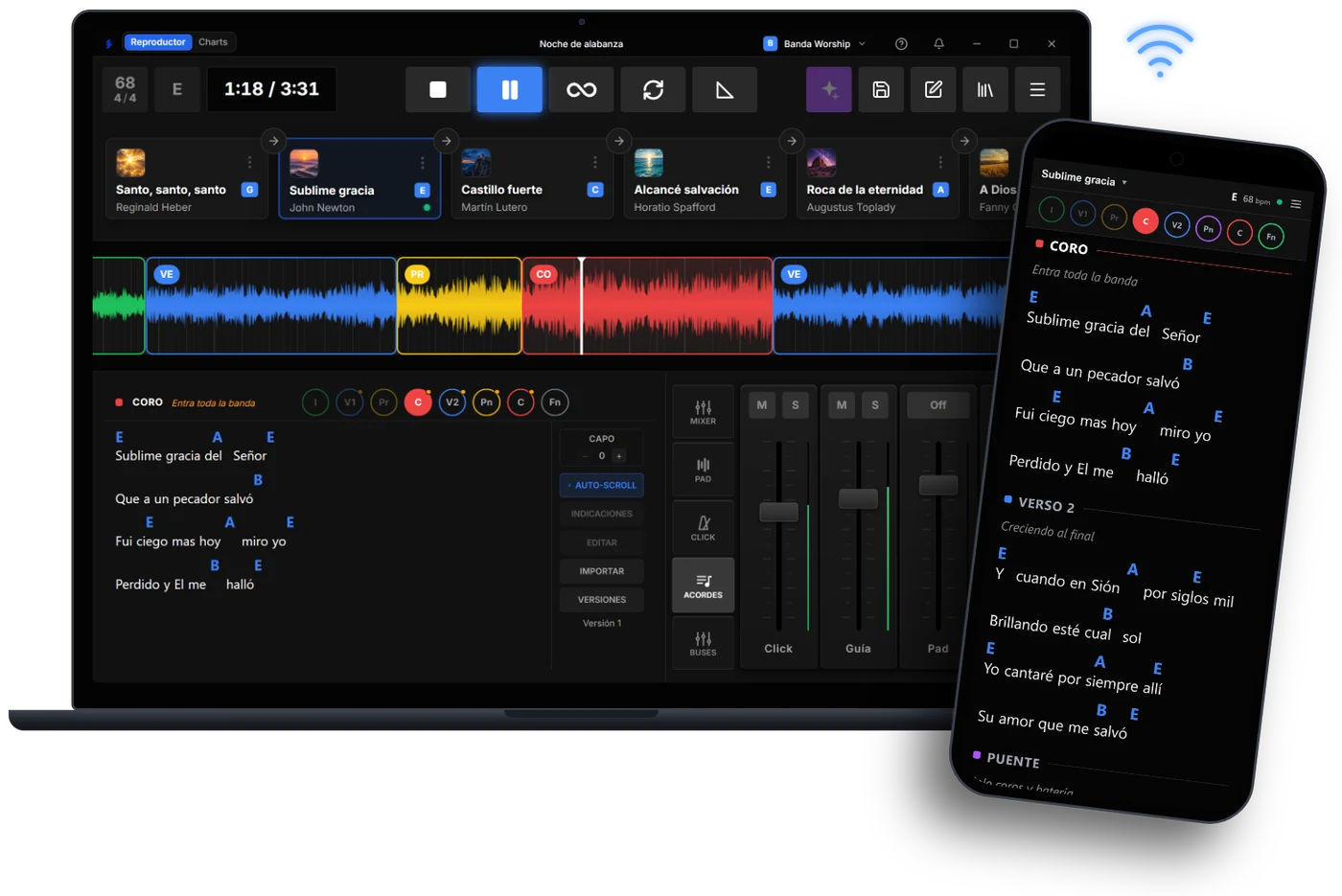
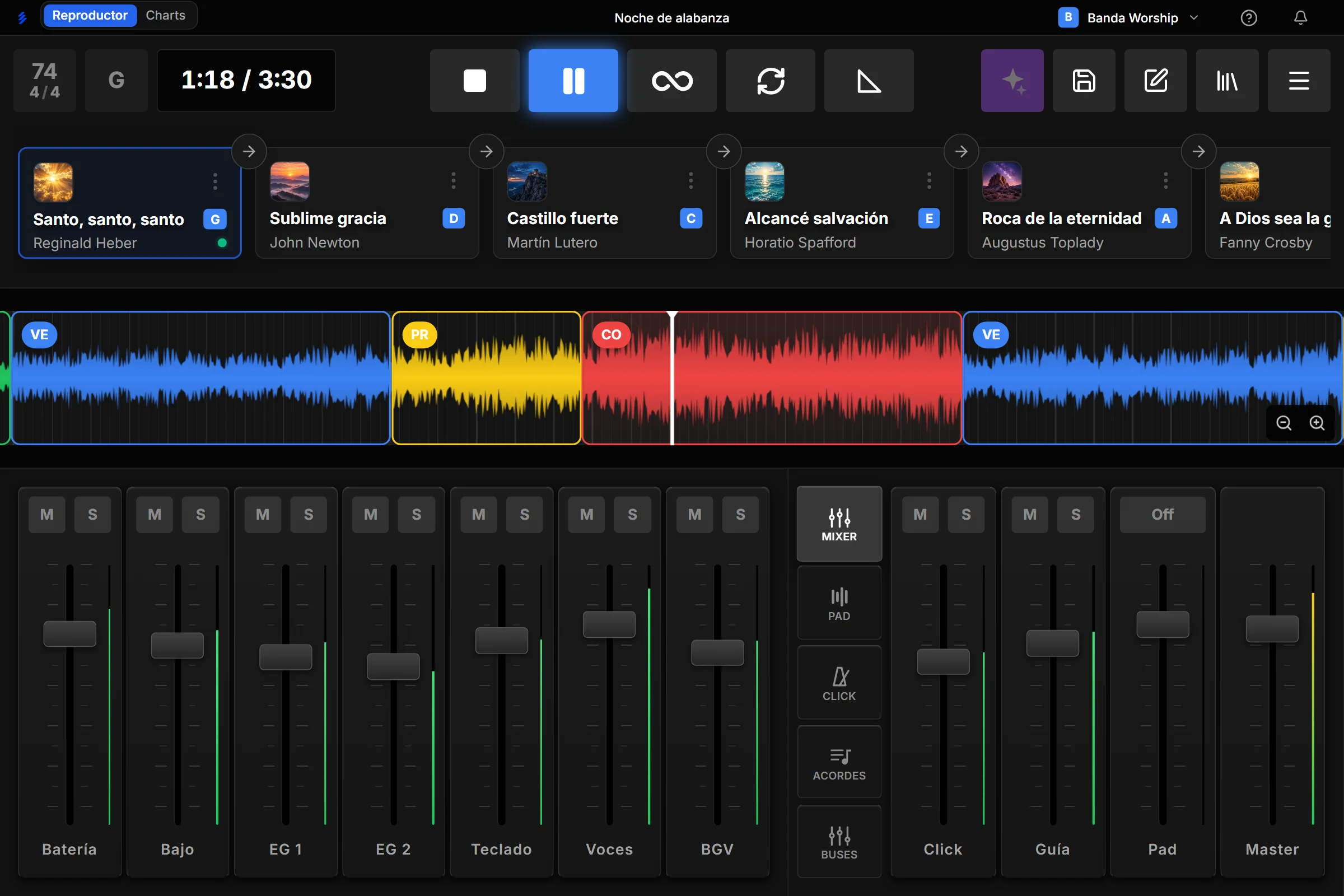
Stems Live sonando en vivo: setlist, secciones de la canción y mezcla

Built to play live

A professional tool built for bands, solo artists, and worship leaders.

AI preps, you play

Instrument separation
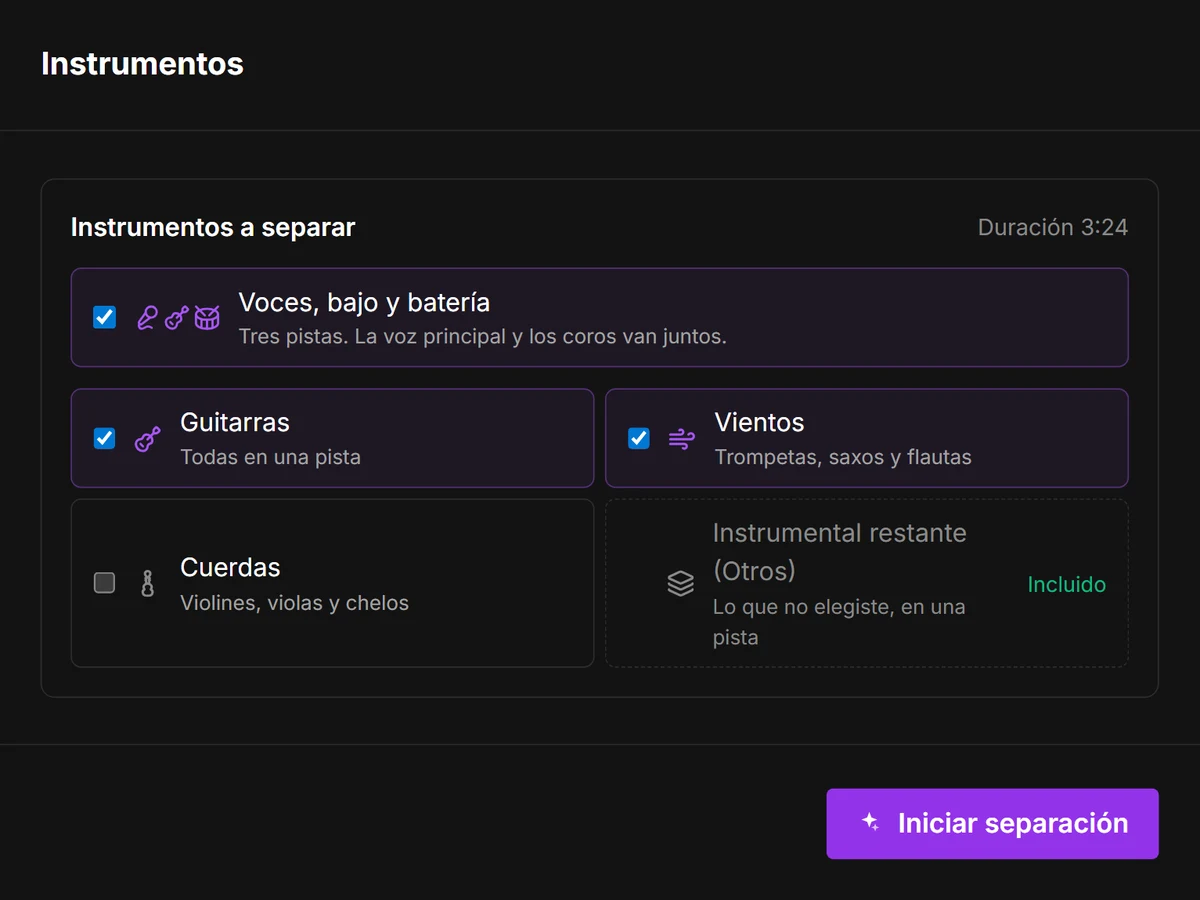
  • Instrument separationSplits any song into a multitrack: lead vocals, backing vocals, drums, bass, guitars, horns and more.
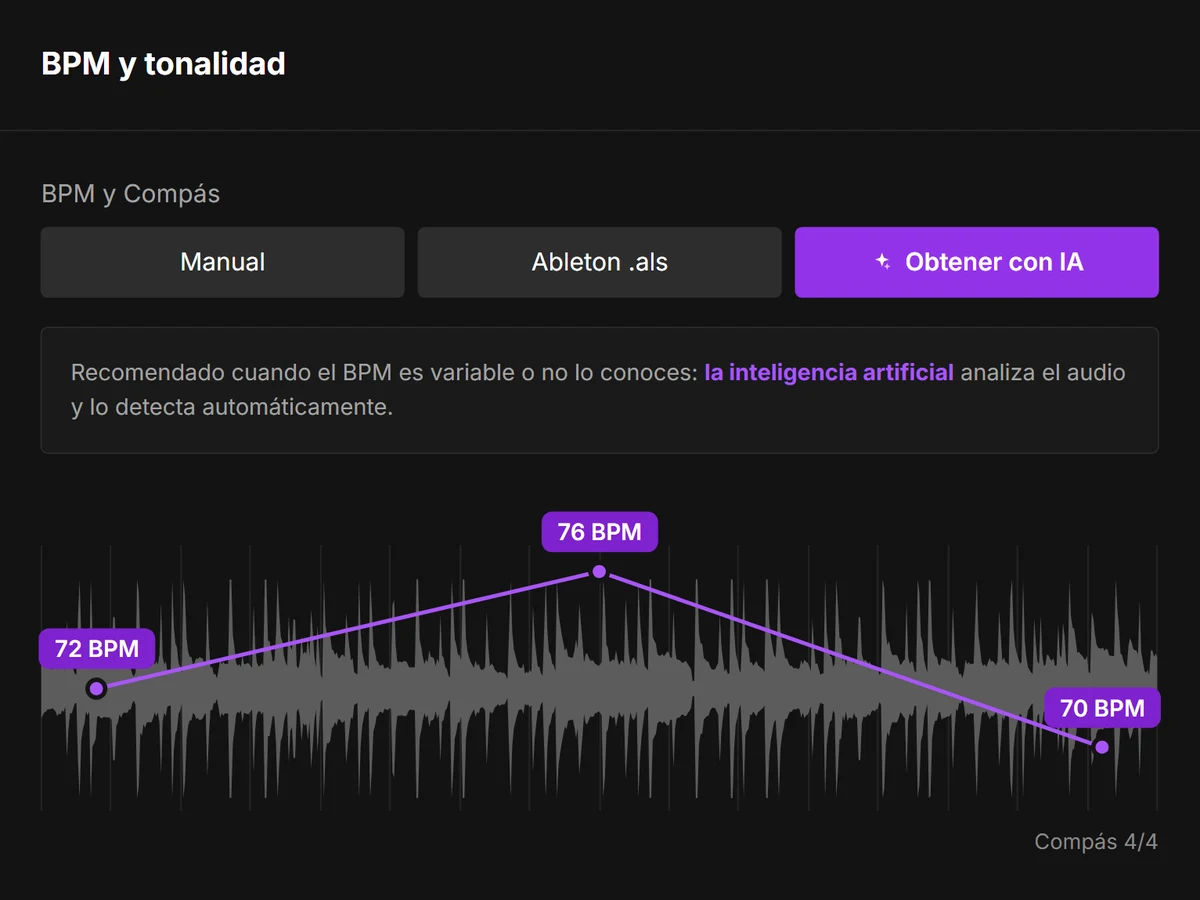
  • Tempo detectionFinds the tempo of any song, even when it changes.
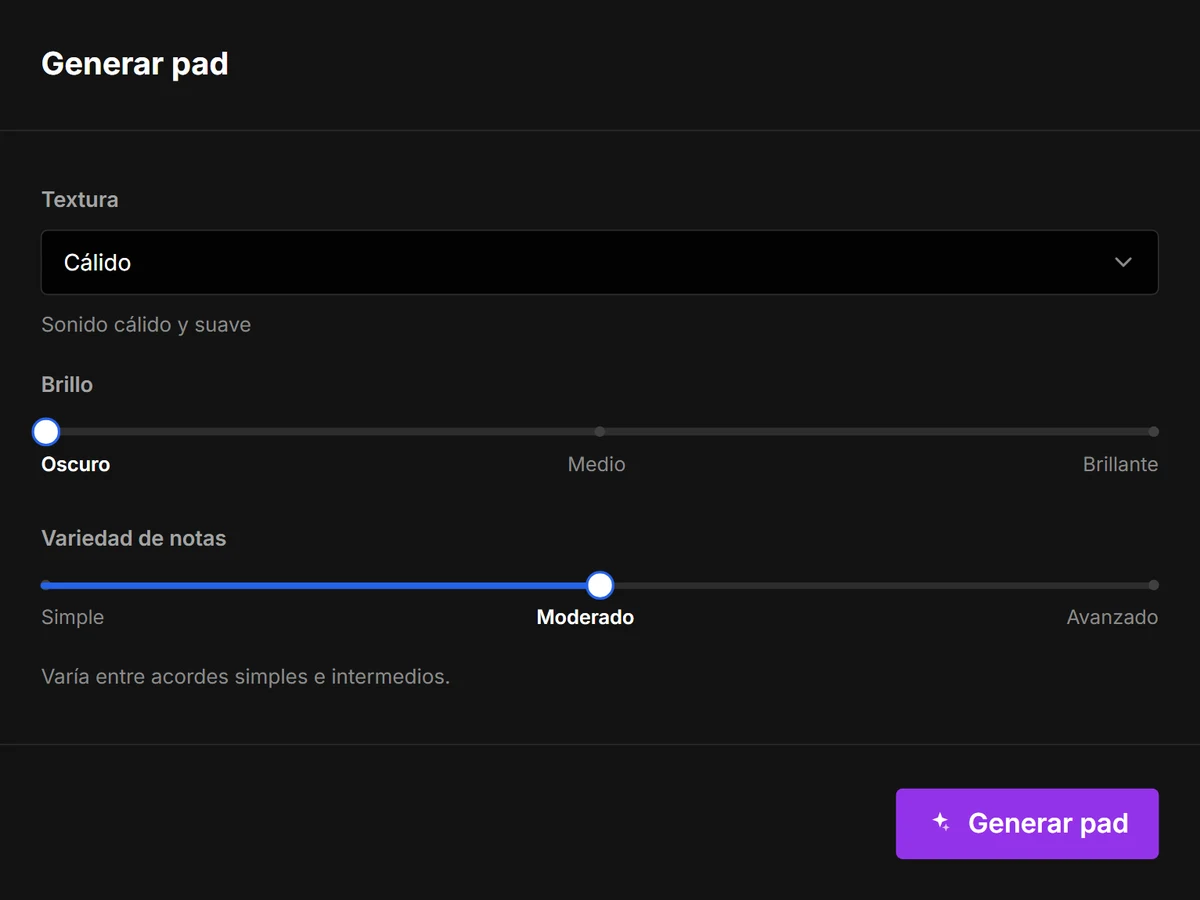
  • Custom ambient padsDetects each song's chords and generates a pad made to measure.
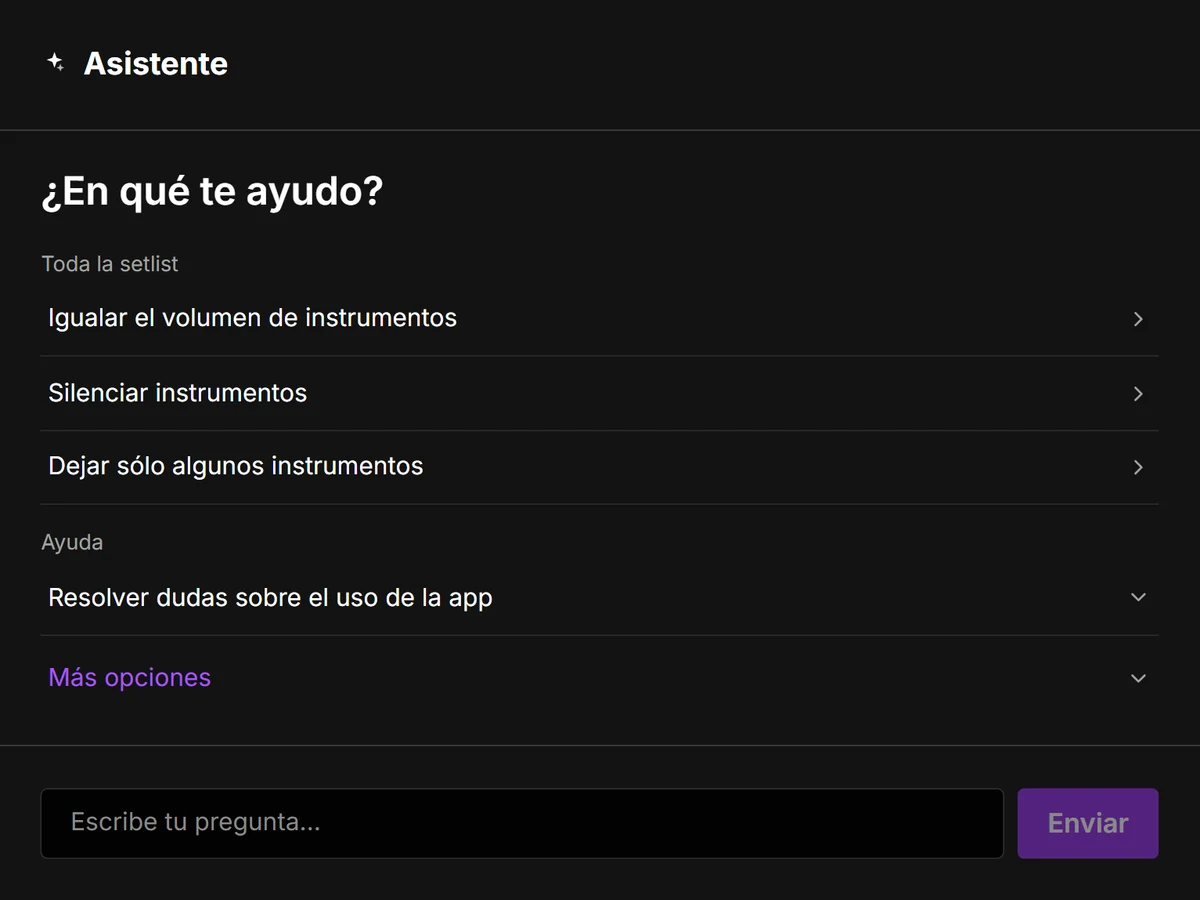
  • AI assistantAnswers your questions about the app and makes changes for you: mute channels, keep only the ones you need or match volumes, just by asking.

Your sections mapped in seconds

From your Ableton Live project
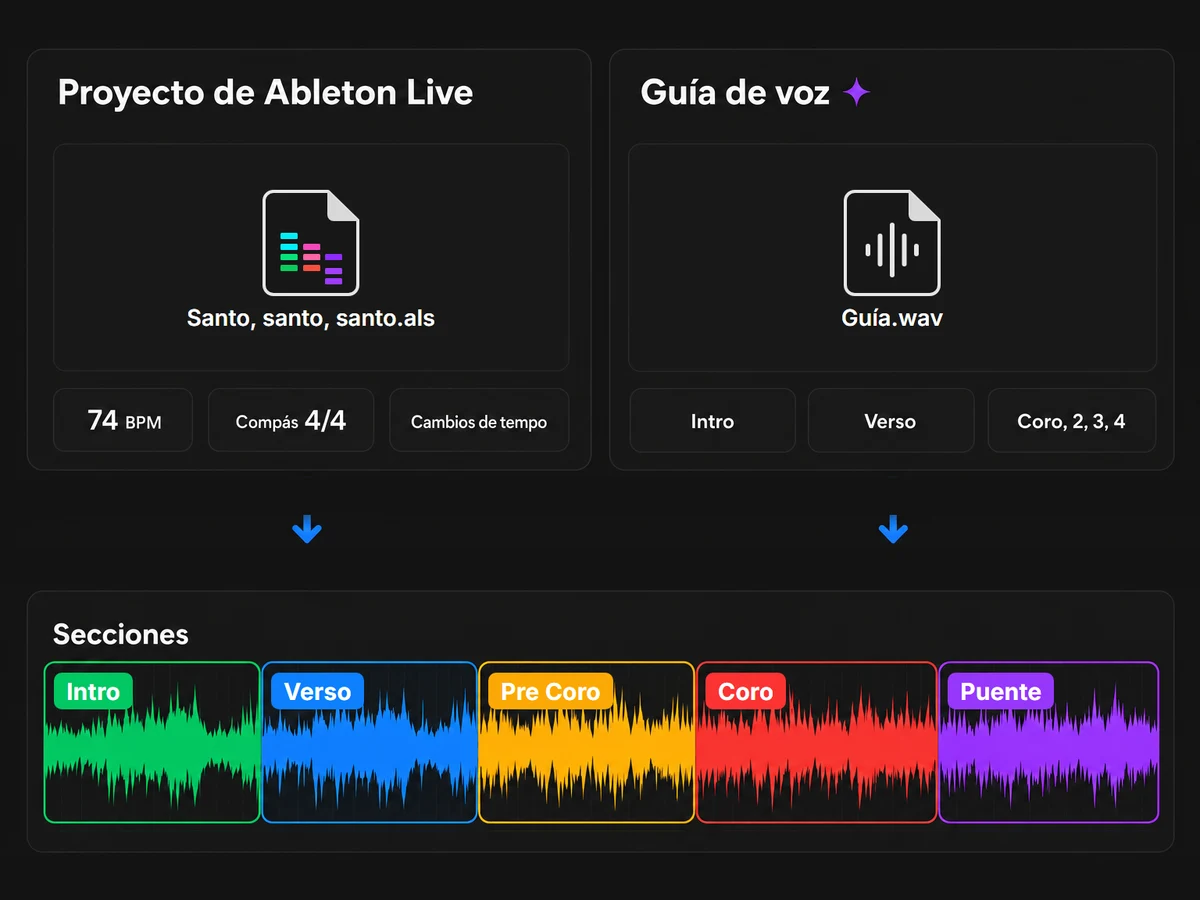
  • From your Ableton Live projectImport the project and bring in its sections, BPM, and tempo and time signature changes, just as you left them.
  • Through the voice guideAI analyzes the guide track and places each section start on its corresponding bar.

Chords on every phone

Synced with the sequence
  • Synced with the sequenceWith the backing tracks playing, chords and structure move on their own, section by section.
  • Even without backing tracksIn Charts mode, you lead from your screen or with a pedal, and the band sees every song and section change on their phone.
  • Nothing to installThey scan a QR code and open it in the browser, on the same Wi-Fi network.

One subscription, your whole band in sync

One library for everyone
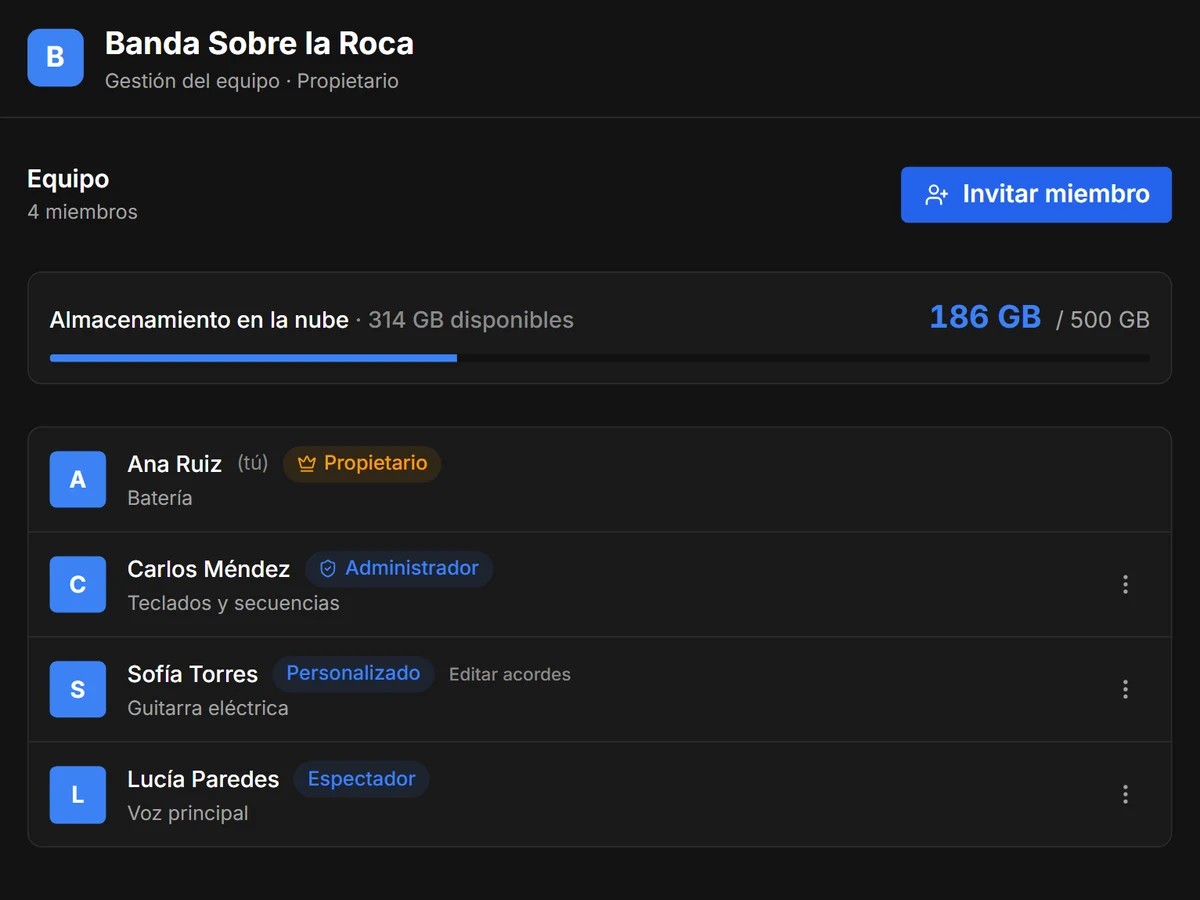
  • One library for everyoneThe team's songs, setlists and pads, backed up in the cloud and ready on every device.
  • Everyone does their partOne uploads the songs, another prepares the chords, another builds the structure and another plays them live. You decide what each member can do.

Standard includes up to 10 extra members and Pro up to 20, across all your teams.

Every event, well planned

Songs and moments in order
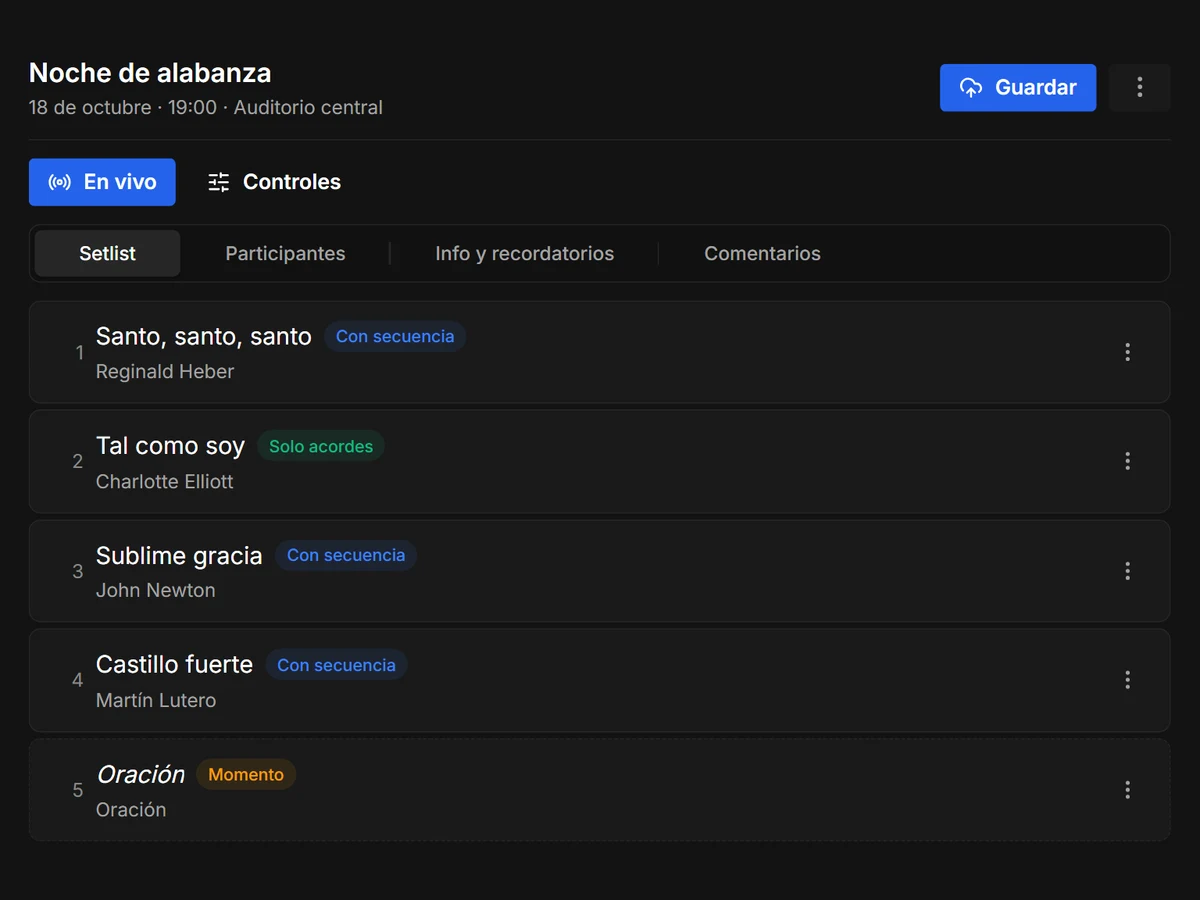
  • Songs and moments in orderBuild the event order with the setlist, chord-only songs and moments like prayer or announcements.
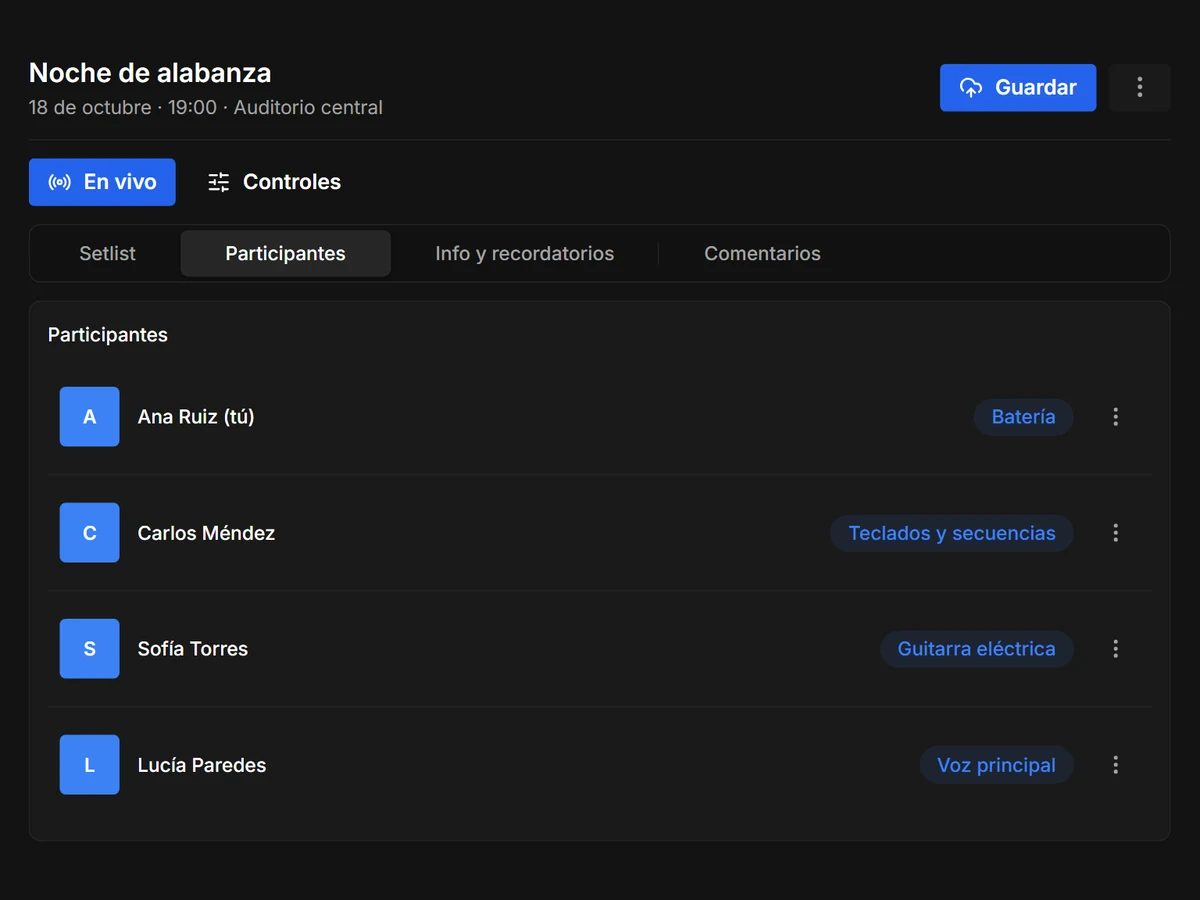
  • Participants and rolesGive each member their instrument and role for that event.
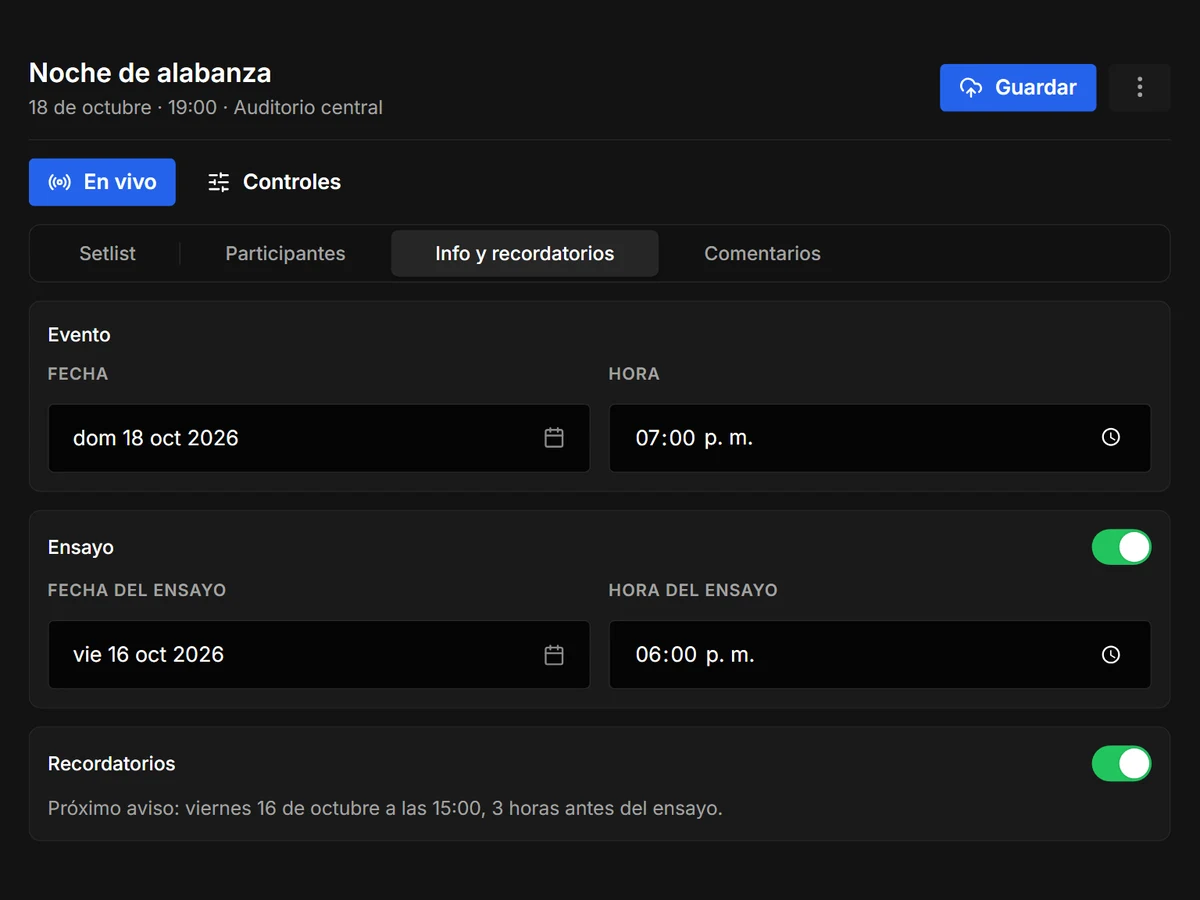
  • RemindersSet the date, time and rehearsal of the event. Every participant gets a reminder before the rehearsal and the event.

And everything you need on stage

Storage and team plans

Basic

Free
Start free
  • Unlimited songs and setlists
  • The player with all its features, also offline
  • Up to 5 extra members
  • 1 team workspace for Charts mode and planning
Most popular

Standard

$4.00USD a month
Latin America price
$6.00 in other countries
Start now
  • Up to 10 extra members
  • 100 GB in the cloud
  • 1 team workspace
  • AI assistant, no credits spent

Pro

$10.00USD a month
Latin America price
$15.00 in other countries
Start now
  • Up to 20 extra members across all your teams
  • 500 GB in the cloud
  • 3 team workspaces
  • AI assistant, no credits spent
Instrument separation, tempo detection and pad generation are paid with credits on any plan; credits are bought separately and never expire.

Frequently asked questions

Anything else? Email us at [email protected]
Yes. Playback, the mixer, the setlist, chords, and MIDI control all work offline. You only need a connection for the cloud, AI features, and to verify your account once every 30 days.
Stems Live separates any song with AI. Upload the full mix and the app turns it into individual tracks, without leaving the app.
Up to 16 phones at once, on any plan, including the free one. They scan a QR code and open it in the browser, on the same Wi-Fi network, with nothing to install.
Yes. You can map any app action to any note or CC on your controller. You can also use your computer's keyboard.
WAV, FLAC, AIFF, OGG, and MP3. On Windows, also WMA.
Yes. Stems Live takes the sections, BPM, and tempo and time signature changes from your .als project, no manual mapping needed.
Up to 6 devices. You can see and sign out of yours from the app.
Windows 10 and 11 today. Android is coming very soon, and Mac and iOS later.
Your account goes back to Basic and your personal content is kept; only new cloud uploads are paused. If you cancel a team, its content stays read-only for 30 days and then its cloud audio is removed.
AI is bought separately, with credits: each one costs $0.10 and purchases start at 100. Credits don't expire. Instrument separation and tempo and chord detection are paid with credits on any plan. The AI assistant is included in Standard and Pro, and section detection from the voice guide comes with minutes included every month on every plan.

Download now,
free.

Download forWindowsComing soon toGoogle PlayComing soonMac & iOS
Windows 10/11 · 64-bit · 24 MB